You write when you think best
Friday’s campaign comes out better on a Tuesday afternoon than on Friday at 12:25 with a full room.
06Your own time zone
You draft the campaign when you have a moment and it goes out at the time you set, in your business time zone. You do not have to be there.
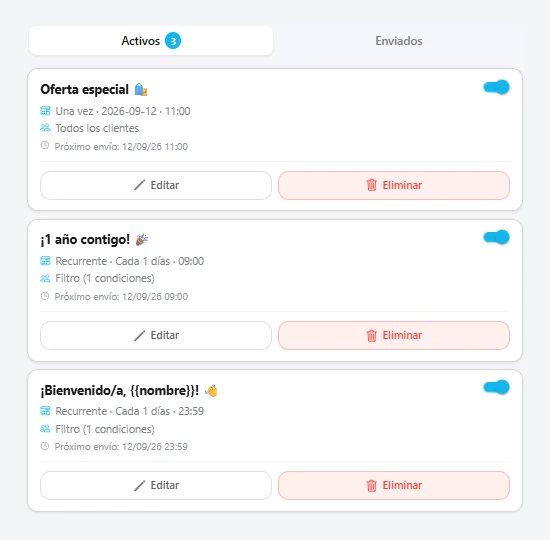
Friday’s campaign comes out better on a Tuesday afternoon than on Friday at 12:25 with a full room.
Today’s menu matters at 12:30, not at 17:00. The send time is half the campaign.
You have what is going out this week in front of you, so three alerts do not pile up on the same day.
Three decisions and done.
Just the message, with the same 120-character limit as any send.
In your business time zone, not the server’s. If your shop is in the Canaries, 12:30 means yours.
The whole list or the segment you filtered. It can be edited or cancelled right up to the send.
 Melos Barber
Your own time zone
Yes. When you schedule it you choose whether it goes out once or repeats; if it repeats, it goes out again on its own without you touching it.
Yes, until it goes out. After that it is on the customer phone.
Both go out. Check the calendar first: two alerts back to back annoy more than they add.
Nothing. Like every other notification, there is no cost per send.
Design it yourself in the wizard or let us hand it over in 24 h. Free up to 20 active cards, with every feature open.